 ADHD Planner
For iPhone
Brain-dump it.
We'll sort it out.
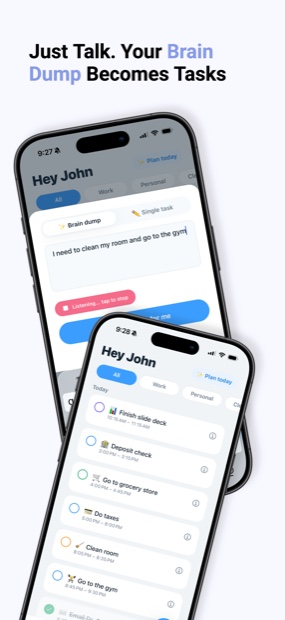
Type everything in your head at once. Get back a day with times on it, in the order that actually makes sense.
Today
What it does
Four things, and it does them without being asked twice
Sort my brain out
Dump everything at once. It splits the pile into real tasks with real due dates, so you don't have to do the sorting that stopped you starting.
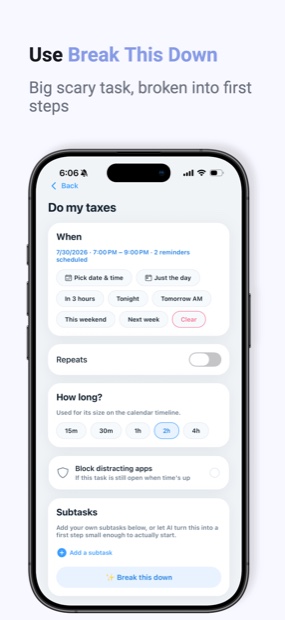
Break down the scary ones
"Do taxes" becomes a first step small enough to actually start. The task you've moved to tomorrow eleven times gets a way in.
Always know what's next
Your list re-ranks itself around what's due and what's left, so you never freeze staring at twenty things of equal weight.
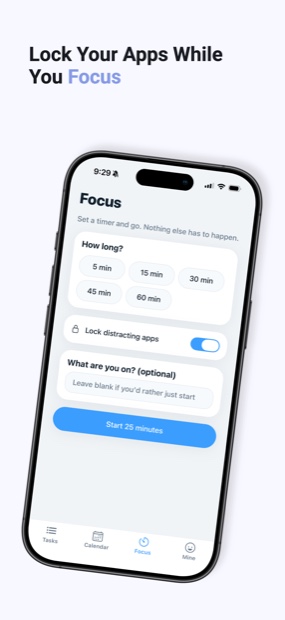
Block the brain rot
Miss a deadline and the apps you chose lock until the task is done. Optional, off by default, and you pick which ones.
Inside the app
Every screen, as it actually looks
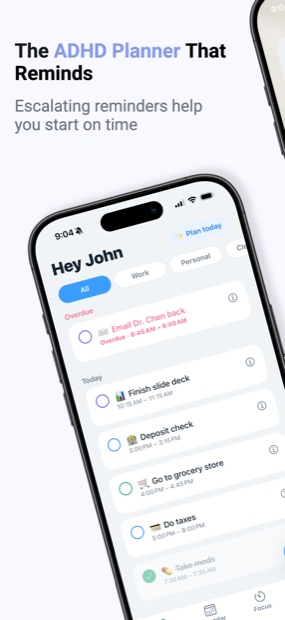
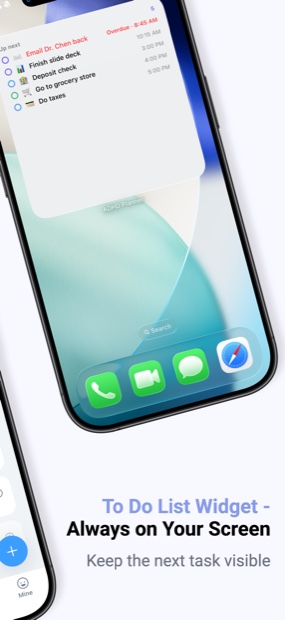
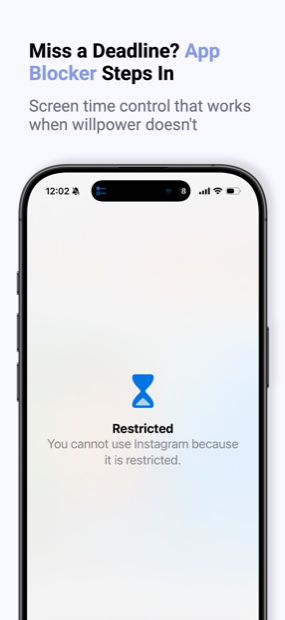
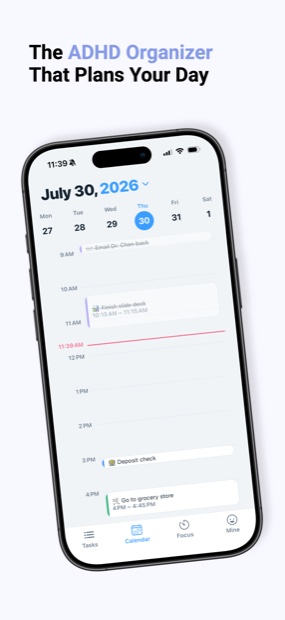
The part other apps get wrong
No streaks. Nothing to break.
Every other planner turns this grid into a scoreboard, then charges you guilt when it lapses. Here it just records what happened. A blank day is a day you didn't use the app — not a failure, not a broken chain, not a reason to delete it and start again in March.
Quiet days are just quiet days.
Pricing
Free to use. Pro does the thinking.
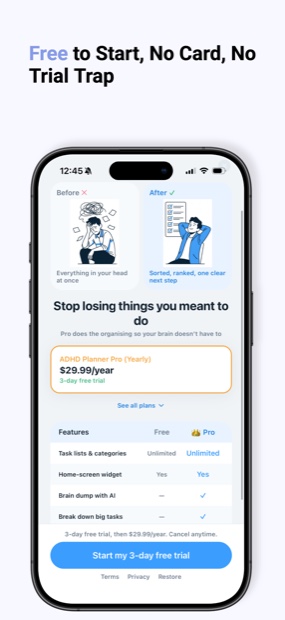
Lists, reminders and the home-screen widget are free forever. Pro adds the AI that sorts, breaks down and re-ranks — plus app blocking.
Subscriptions renew automatically until cancelled. Cancel any time in your iPhone's Settings. The annual plan starts with a 3-day free trial, then $29.99 per year.
Questions
Before you download
What's free, and what's Pro?
Tasks, lists, subtasks, deadlines, reminders and the home-screen widget are free with no limits. Pro adds the AI — brain dump, break-it-down, auto-prioritising — plus app blocking and the 30-day view.
Does it really block apps?
Yes, using Apple's Screen Time system. It is off by default and set per task: if a deadline passes while the task is still open, the apps you chose are covered until you finish it. iOS needs at least fifteen minutes' notice, so it can't be armed for something due in five.
Do I have to keep a streak going?
No. There are no streaks, no chains and no daily score anywhere in the app. The 30-day view shows totals and averages, and a day you didn't use it is just a day you didn't use it.
Can I cancel?
Any time, from Settings on your iPhone. The annual plan starts with a three-day free trial.
Everything in your head, sorted into a day.
Free to start. The AI and the app blocker are Pro.
Download free on iPhone